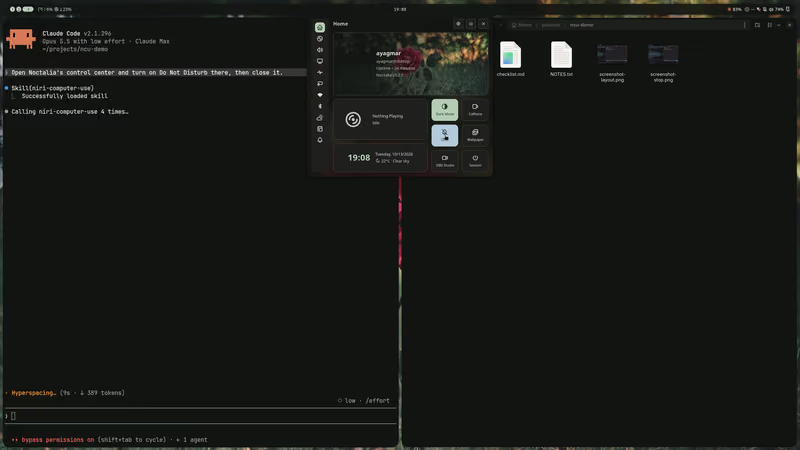
Your agent can use your niri desktop.One key takes it back.
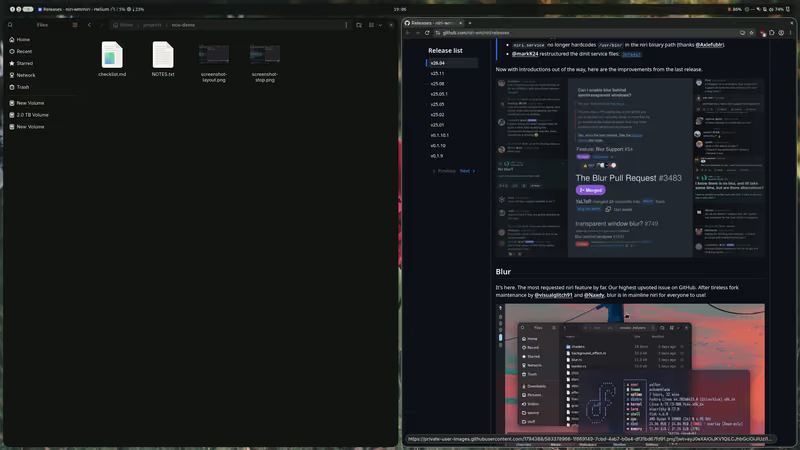
An MCP server for Claude Code, Codex, Pi and other MCP clients. The agent reads your windows and screenshots; while it holds the lease, it clicks, types and runs niri actions.
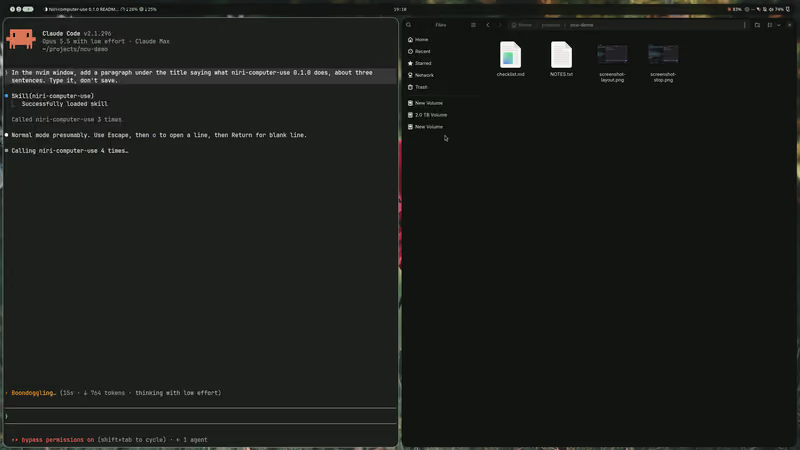
→ key {"keys": ["Escape", "o", "Return"], "expect": {"window_id": 19}}← accepted: true · observed: sent · 254 ms
→ type_text {"text": "niri-computer-use 0.1.0 is an MCP server that lets an AI agent see and operate a niri Wayland desktop. It reads windows, workspaces and accessible elements, takes screenshots, and, while holding an exclusive desktop lease, can focus windows, click, type and run niri actions. The user stays in control with a stop key, a policy file that limits what the agent may do, and an audit log of every action.", "expect": {"window_id": 19}, "screenshot": true}← accepted: true · observed: sent · 2482 ms
$ niri msg action focus-window --id 11# you move focus to Files; the agent never asked for it
→ click {"screenshot_ref": "shot-ac2ffeab-43", "x": 979, "y": 88}← accepted: true · observed: sent · 252 ms
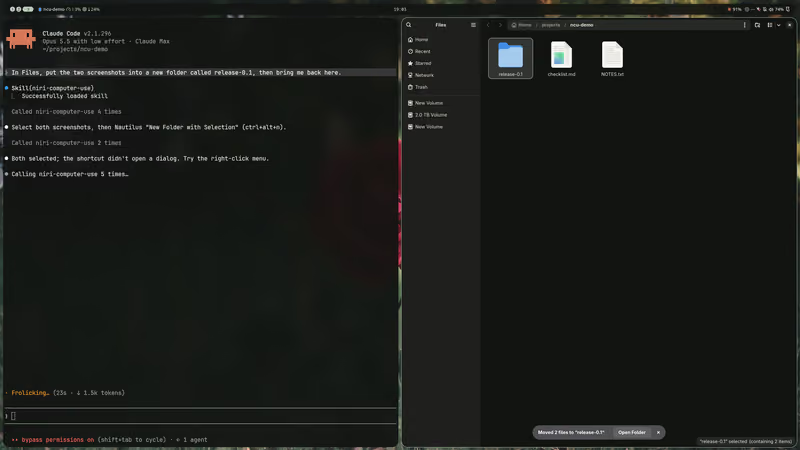
→ key {"keys": ["shift+Right", "ctrl+alt+n"], "expect": {"window_id": 11}, "screenshot": true}← accepted: true · observed: sent · 469 ms
→ click {"screenshot_ref": "shot-ac2ffeab-47", "x": 1061, "y": 88, "button": "right", "screenshot": true}← accepted: true · observed: sent · 957 ms
→ click {"screenshot_ref": "shot-ac2ffeab-56", "x": 1130, "y": 100, "screenshot": true}← accepted: true · observed: sent · 856 ms
→ key {"keys": ["ctrl+a"], "expect": {"app_id": "org.gnome.Nautilus"}}← accepted: true · observed: sent · 253 ms
→ type_text {"text": "release-0.1", "expect": {"app_id": "org.gnome.Nautilus"}, "submit": true, "screenshot": true}← accepted: true · observed: sent · 920 ms
→ release_desktop {"restore_focus": true}← released · focus back on 15 · observed: focused · 3 ms
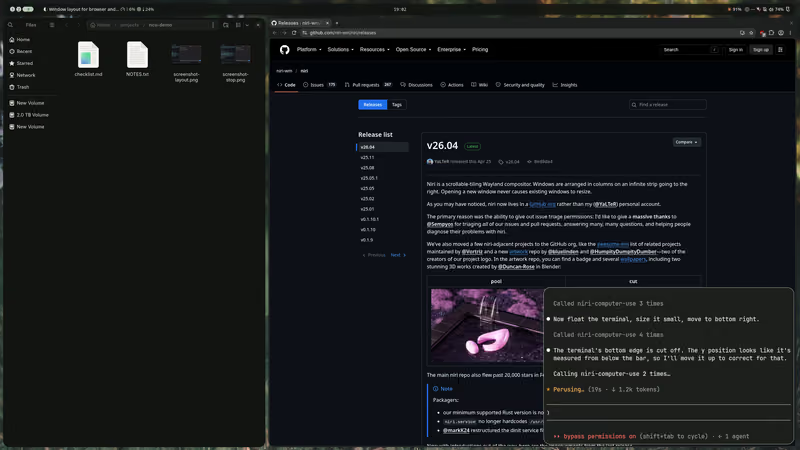
Layout. The agent sizes Files and the browser to a third and two thirds, then floats its own terminal small in the corner, all with niri’s own actions.
Asked “Make room for the browser: Files a third of the screen wide, the browser the other two thirds, and float this terminal small in the bottom right corner.”
Press it, or Esc on your keyboard, while the agent works: the diagram shows what the server would answer from then on.
→ release_desktop {"restore_focus": true}← released · focus back on 18 · observed: focused · 2 ms
Recorded on a real niri 26.04 desktop with Claude Code (Opus 5.5) and the installed server; nothing was scripted. Thinking time between calls is cut to 1.2 s; the calls run in real time.
What an action answers
Each action says whether niri, Noctalia or the app took the request, what happened afterwards, and what niri saw change on the desktop.
What launch {"preset": "notes"} answered in the README’s example run, in a headless nested niri. Every call and the grading.
accepted
Whether niri, Noctalia or, for an element action, the app took the request. False when nothing was sent, null when the request went out but the reply was lost.
observed
What happened afterwards, such as focused, opened or closed in niri’s event stream; for input, sent once niri has handled it; for set_element_text, matched or differs by the app’s own count.
changes
What niri saw change: windows opened and closed, focus and workspace moving, a title, size or floating state. Left out when niri saw nothing.
error
When an action is refused or fails, in place of the above: a stable name such as focus_mismatch, and a detail that keeps niri’s, Noctalia’s or the program’s own message. An app’s own messages from element actions are left out, since they can hold a field’s text. Wrong arguments get a plain-text error instead.
Every action passes the first three checks, in this order; the last two belong to the tools. The first check that fails answers the agent, and nothing goes out.
AgentClaude Code, Codex, Pi
MCP, stdio
niri-computer-use
Stop flagset by your stop key
Lease
Lock state
Focus
Deny list
Every call that reaches a tool is written to the audit log.
IPC, input
niriits IPC and event stream, virtual pointer and keyboard, AT-SPI, Noctalia
Table 1. When an action is refused. The details are the server’s own messages; the app_id and window ids are examples. Two more checks sit between these, for stuck input and for niri’s version; Safety lists them all.
Check
Refused when
Applies to
The agent gets
You pressed the stop key.
every action
stoppedthe stop flag is set; the user clears it with niri-computer-use resume
This agent didn’t take the lease, or another one holds it.
every action
lease_requiredthis session doesn't hold the lease; call acquire_desktop first
The screen is locked, or neither logind nor Noctalia says whether it is.
every action
screen_lockedthe screen is locked
The window the agent named in expect, or an element action’s window, doesn’t have focus. Typing checks again before each key.
typing, keys and pastes, checked first; element actions, checked after the deny list
focus_mismatchexpected window_id 19; window 11 with app_id Some("org.gnome.Nautilus")
An app on your deny list has focus, or owns the window an element action or a close aims at.
pointer, keyboard and element actions, and closing a window
app_deniedthe focused window's app_id "org.keepassxc.KeePassXC" is on the policy's deny list
Nothing above applies.
every action
accepted: true · observed: sent, for a type_text call
Guardrails, not a sandbox
What it enforces
One agent at a time holds the lease, and only that agent acts. Looking needs no lease, except reading the clipboard.
The stop key cancels the running action and takes the lease back. An agent can’t press it.
With confirm_lease on, you allow each lease from a desktop notification. It is off by default.
Element actions refuse fields the toolkit marks as password fields.
The launch tool starts only presets you write, and niri actions that run programs need unrestricted on.
An audit log of every call that reaches a tool, without typed text, the clipboard, window titles or images. A failed write shows in status.
What it doesn’t stop
Any connected agent sees your screen and window titles.
A click can land on a denied window that doesn’t have focus.
Typing and clicking don’t check for password fields.
A lock that comes after the last read isn’t caught.
An agent that can run shell commands can answer the confirm_lease notification itself.
With the lease, a click or a key can do anything you could do.
26.04. A 26.04 patch release works with a warning; any other release is read-only.
System
Linux on x86_64 or aarch64. Release builds need glibc 2.39 or newer; cargo needs Rust 1.99.
At run time
grim, loginctl and libxkbcommon; notify-send if you turn on confirm_lease.
Agents
Claude Code, Codex, Pi or any MCP client that starts a server over stdio.
Pointer tools
One monitor at transform Normal. The keyboard, screenshots and the rest work with any.
Elements
GTK 4 works. GTK 3 and Qt apps that draw their own title bar give no element boxes.
Noctalia
Optional. A session without Noctalia or an accessibility bus has 17 of the 22 tools.
Install
Three steps, from a shell inside your niri session.
Download the install script, read it, run it. It installs the binary and the skill that tells your agents how to use the server, then offers to register the server in each of Claude Code, Pi and Codex it finds. What the script does
curl -fsSLO https://github.com/ayagmar/niri-computer-use/releases/latest/download/install.sh
less install.sh
sh install.sh
Or build the crate with cargo; then add the skill. The skill
cargo install --locked niri-computer-use
If you said no, or built with cargo, register it yourself, here in Claude Code with the binary’s path (~/.cargo/bin after cargo). Codex, Pi and other clients
claude mcp add --scope user niri-computer-use -- ~/.local/bin/niri-computer-use serve