
Compare Periods
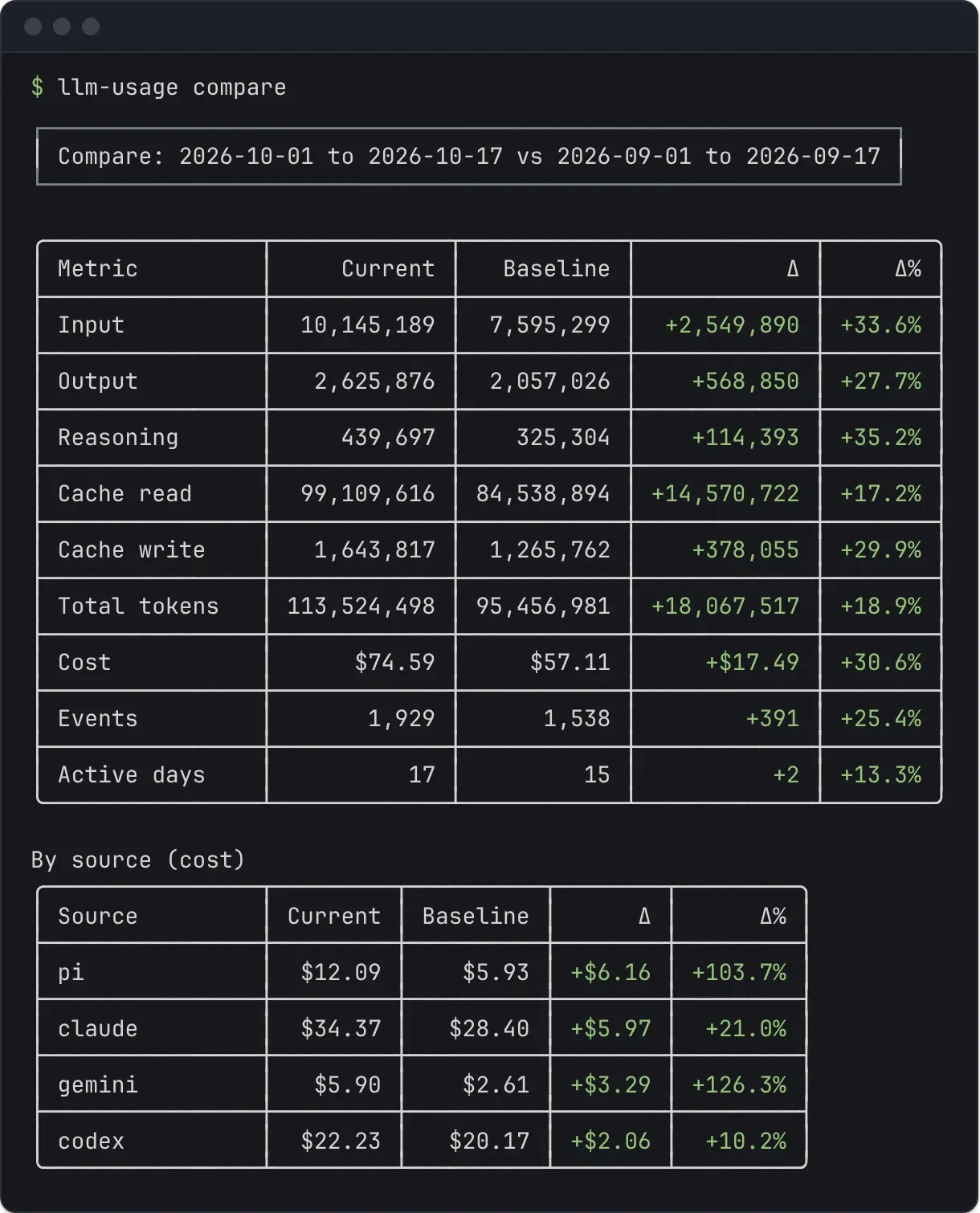
llm-usage compare summarizes two windows with the same source, provider, model, timezone, history, and pricing settings. It reports the current value, baseline value, absolute delta, and percentage change for each metric.
Default comparison
Section titled “Default comparison”llm-usage compareWith no date flags, the current window is the current local month to date and the baseline is the same days of the previous month (clamped to that month’s last day), so a partial month is never compared against a full one. On 6 October the report compares 1–6 October with 1–6 September. The report timezone decides those boundaries.
Compare a chosen range
Section titled “Compare a chosen range”llm-usage compare \ --since 2026-06-01 \ --until 2026-06-30An explicit current range needs both --since and --until. Without baseline flags, the CLI chooses the equal-length window immediately before the current range.
The equal-length rule uses the number of days. A 31-day March range therefore compares with the 31 days ending on the last day of February, rather than with February alone.
Set both windows
Section titled “Set both windows”llm-usage compare \ --since 2026-06-01 \ --until 2026-06-30 \ --vs-since 2026-04-01 \ --vs-until 2026-04-30--vs-since and --vs-until must appear together. The two ranges may have different lengths, so check active days before interpreting a raw total change.
Metrics
Section titled “Metrics”The totals section compares:
- all five token buckets and total tokens
- cost
- event count
- active days
The source section compares cost by source. Cost keeps the shared pricing semantics: a tilde marks an incomplete amount, and a missing cost stays unresolved.
A percentage delta is unavailable when the baseline value is zero and the current value is nonzero. Both zero values produce a 0% change.
Filter both windows
Section titled “Filter both windows”llm-usage compare --source codex --model codexllm-usage compare --provider anthropic --no-historyFilters apply once to the combined dataset before the command separates events into the current and baseline windows. This keeps the scope consistent. --repo keeps some projects only, and --machine some machines.
Compare each project
Section titled “Compare each project”llm-usage compare --by-repo--by-repo adds a By project (cost) table under the source table: each project’s cost in both windows, the delta, and the percentage change, ordered by the size of the change. A project keeps one label in both windows. In --json, the rows are under data.projects, each with repoRoot, project, and current, baseline, delta, and deltaRatio totals.
Export
Section titled “Export”llm-usage compare --jsonllm-usage compare --markdownCompare supports terminal, JSON, Markdown, and --share. The interactive report compare-share.html holds both windows, opens on the current one, and shows the comparison as a panel. Diagnostics stay on stderr in every format.
llm-usage compare --share --no-open