
Settings
The Settings section lists every key set in any settings file that applies to the open directory, with the value Claude Code ends up using and the file it comes from.
The buttons in the section’s header filter the table by the file that decides each value, with a count for each: Managed, User, Project or Local, Ignored for a key no file it is set in is read from, and Waits for trust for one whose only values wait for the trust dialog. A merged value counts under the highest file it comes from.
A key set to the default Claude Code’s settings reference gives for it is marked default, and the inspector shows that default, so you can see which keys change nothing. A default that overrides a different value in a lower file is not marked, since removing it would change the setting. A key whose documented default is described in words or depends on something else, such as the platform, is never marked.
Which files are read
Section titled “Which files are read”From highest precedence to lowest:
- Managed:
managed-settings.jsonin your organisation’s managed folder, plus every.jsonfile in itsmanaged-settings.d/folder, merged in alphabetical order. - Local:
.claude/settings.local.jsonat the root of the repository’s main checkout, as Claude Code reads it. On Windows, outside git, or when the repository root is your home folder, it is the one in the open directory instead. An older local file left in the open directory is still read, below the root one. - Project:
.claude/settings.jsonin the open directory. - User:
~/.claude/settings.json, orsettings.jsonin$CLAUDE_CONFIG_DIR.
Your organisation can also deliver managed settings from the claude.ai admin console (server-managed settings), through a macOS configuration profile, or in the Windows registry, as a Settings value under HKLM\SOFTWARE\Policies\ClaudeCode or HKCU\SOFTWARE\Policies\ClaudeCode. ccdesk does not read those. Claude Code ranks the console’s settings first, then the profile or the HKLM key, then the files above, and by default uses the first source that sets a policy. The HKCU key comes last: anyone can write it, so Claude Code applies it only when no admin source is present above it. When the server-managed settings Claude Code keeps in ~/.claude/remote-settings.json, a macOS profile or the HKLM value is there, the page warns that the managed values it shows may not apply; when the HKCU value is there, it says so too. ccdesk checks the registry with reg.exe and never shows either value. Run /status in Claude Code to see which source it uses.
Managed settings that fail Claude Code’s settings schema are shown as Claude Code applies them, not as written. Claude Code repairs them rather than skipping the file: it strips invalid list entries, reads a quoted "true" or "false" as that Boolean, removes a key set to null, enforces an invalid allowedMcpServers or other managed allowlist as an empty list, reads a switch such as allowManagedPermissionRulesOnly as its restrictive value, repairs permissions, autoMode and sandbox field by field (withholding their grants while a deny list beside them is invalid), and drops the rest, including a value of the wrong shape such as an env written as a list. Another Boolean that fails validation is shown as dropped, with a note that Claude Code may instead read it as its restrictive value, since the docs name the fail-closed keys only by example. ccdesk checks the managed files after merging the drop-ins, which the docs don’t settle either. A note under the page header lists each repair beside what the file says, with env and headers values hidden.
How a value is decided
Section titled “How a value is decided”- For most keys the highest file wins. Lower values are listed in Overrides, struck through, with their own bullets.
- Lists merge across files, and objects merge key by key. Those rows say merged and show every file’s bullet.
- Some keys are read only from certain files. Claude Code’s settings reference says which, and a value in any other file is marked ignored, with the reason in the inspector.
- A few keys follow their own rule, which the inspector names: for some security switches the strictest value wins even from a lower file, each model in
modelSettingstakes itseffortLevelfrom the highest file that sets one for it (a top-leveleffortLevelin a higher project, local or managed file outranks it) and runs at the lowestmaxEffortLevelany file gives it,availableModelsfrom managed settings replaces every other file’s list, a project or localdefaultModeofautoorbypassPermissionsis ignored, and so are thesandboxfields Claude Code does not take from a file: a repository’s settings that loosen a sandbox managed settings require, values a managed-only lock such asallowManagedDomainsOnlycovers, and nested keys read only from user or managed settings. ccdesk does not check the locks that depend on which paths are denied. - In an interactive session in a folder you have not trusted, project and local
envvalues are marked waits for trust, because Claude Code applies them only once you accept the trust dialog. A trusted parent folder andclaude -pdon’t wait. Claude Code applies variables it classifies as safe, such as model selection, timeouts and limits, at startup anyway. The docs don’t list which variables those are, so ccdesk marks them all as waiting. envvariables Claude Code ignores are marked ignored by name: those a project or local file cannot set, such asHOME,CLAUDE_CONFIG_DIRand the variables that turn telemetry on or send it somewhere (an off value such asOTEL_METRICS_EXPORTER=nonestill applies), and those it reads only from the environment it starts in, such asCLAUDE_CODE_PROJECT_DIR_NAME, from any file.
Values under env and headers show as •••. See Safety and privacy.
Changing a setting
Section titled “Changing a setting”Select a row to see every file that sets the key and the value Claude Code uses, then change it in the inspector:
- Pick the file to write: User, Project or Local. Files Claude Code does not read the key from are shown but cannot be picked. Managed settings cannot be changed from ccdesk.
- Enter the value. The field matches the setting’s type in Claude Code’s schema: a checkbox, a choice list, a number, text with the documented values one click away, one entry per line for lists of text, a button per value for lists the schema limits, such as
allowedProviders, and a field per property for objects such asautoModeandstatusLine. A property you leave empty is not written. Everything else is JSON, with a line saying what shape the value takes. A value the form cannot show exactly, such as an object with a property the schema does not name or text with a line break, is shown as JSON too, so saving never drops part of it. Edit as JSON switches a form to JSON, for a value the form cannot write, such as an empty list; Edit in form switches back when the form can hold the value. AnautoModelist (allow,soft_deny,environmentorhard_deny) without"$defaults"replaces Claude Code’s built-in rules instead of adding to them, and an empty one, which only JSON can write, leaves that list with no rules at all. The editor warns about both, in the form and in JSON, and points toclaude auto-mode defaultsfor copying the built-in rules if you mean to own the list; in the form, Keep built-in entries adds"$defaults"at the top. - Press Review change to see the diff of the file.
- Press Save.
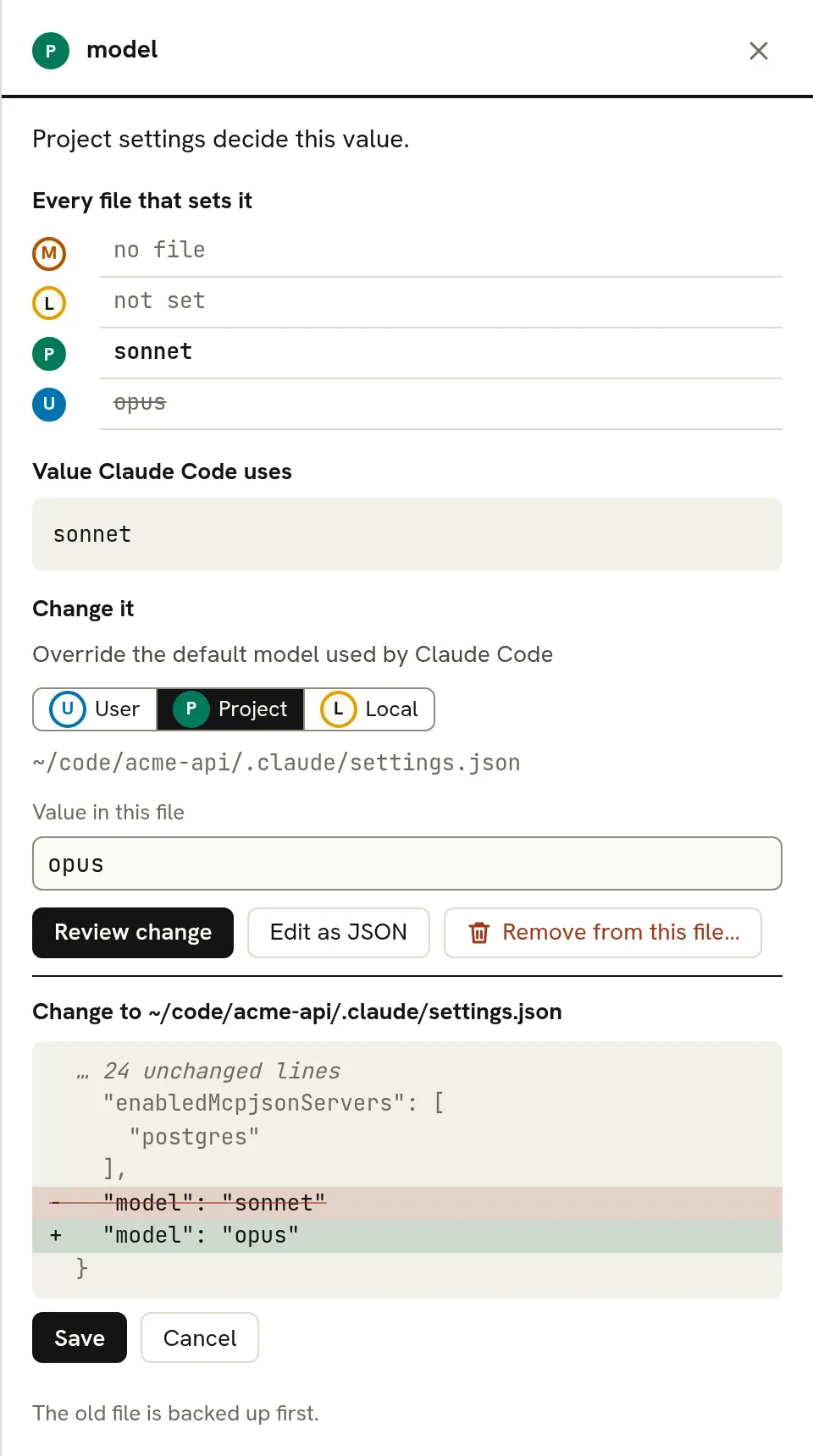
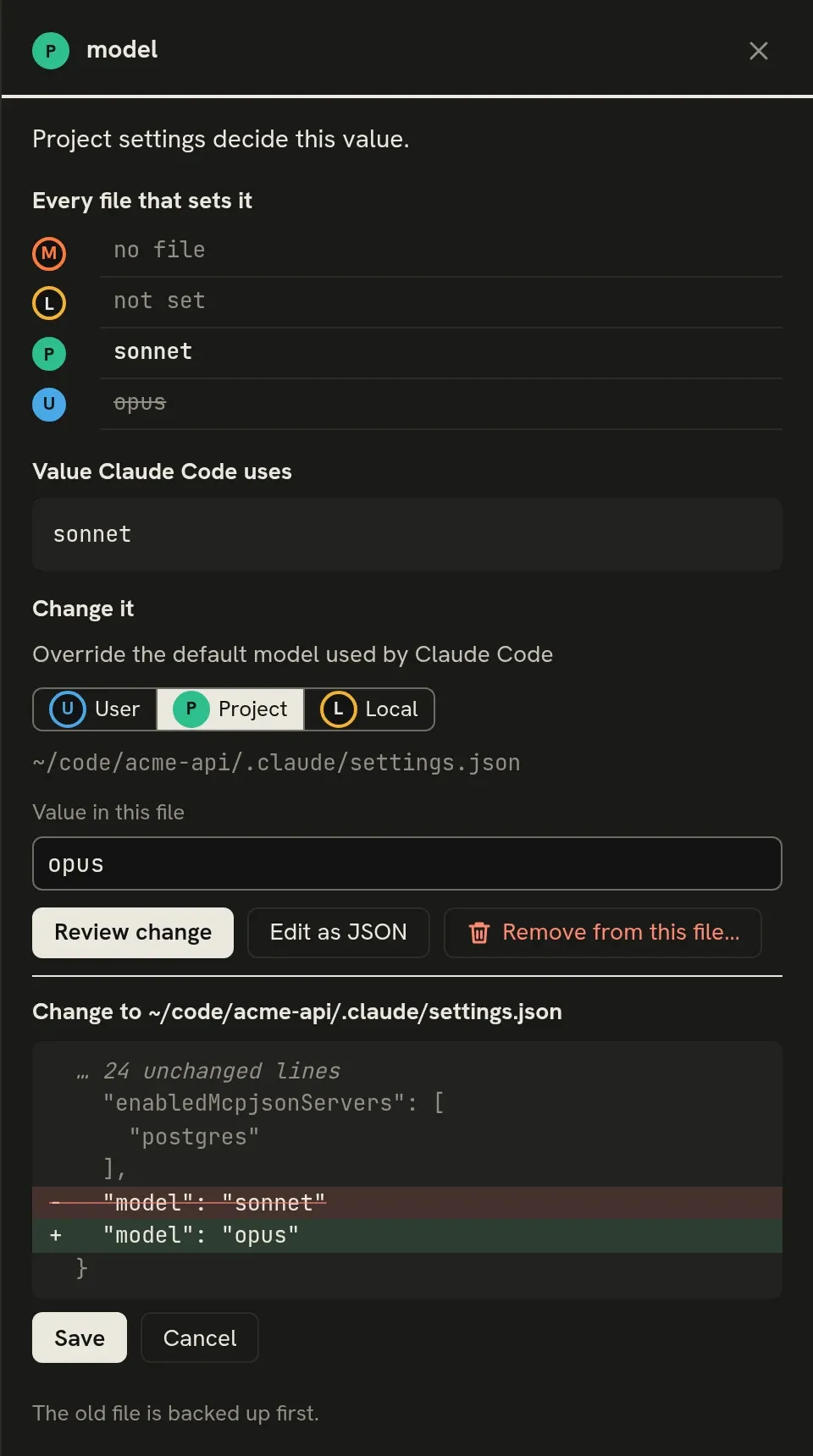
To add a key that is not set yet, use Add setting at the top of the section and pick the key; it suggests keys from the schema with their descriptions. Remove from this file… shows the chosen file without the key, and saving that removes it.
What happens on save:
- The value is checked against Claude Code’s settings schema. If it fails, the errors are shown and there is no Save button.
- ccdesk writes exactly the reviewed change. If the file changed after you pressed Review change, it refuses and asks you to review again.
- Other keys stay as they were. If the file was not formatted with two-space indentation, ccdesk says it will reformat the whole file.
- The old file is copied to the backup folder first, and the change can be undone from the toast or from Recent changes.
- If the settings file is a link, for example into a dotfiles repository, ccdesk writes through it and the link stays a link.
A key whose value holds hidden parts, such as a non-empty env, or an allowedMcpServers or deniedMcpServers entry with a token in its command, cannot be changed from ccdesk; edit it in the file. A settings file that is not valid JSON is listed at the top of the page with the line and column of the error, and ccdesk will not write to it until you fix it. A user, project or local file with a top-level key of the wrong type, such as text where cleanupPeriodDays takes a number, is listed there too: Claude Code skips the whole file (an interactive session asks at startup whether to fix it, exit or continue without it; claude -p skips it without asking), so ccdesk shows the settings without it. A value the schema rejects deeper in a key, such as an unknown permissions.defaultMode, is listed too, but ccdesk keeps the file in the settings it shows: Claude Code either skips those entries with a warning or, if its check rejects them, skips the whole file, and the docs don’t say which. Unknown nested fields are not reported, since Claude Code strips them.
Comparing two directories
Section titled “Comparing two directories”Compare with… at the top of the section opens a picker: choose another directory Claude Code has been used in, or type the full path of any folder. The comparison page lists the keys whose values differ, with the value each directory ends up with and the files it comes from. All also shows the keys that are the same in both, dimmed. A value that Claude Code ignores in a directory counts as not set there.
Hidden values stay hidden, but ccdesk compares the real values: when two env entries both show ••• but differ, the key is listed as different, with the note “The hidden values differ”. Neither value is sent to the page. The page has its own address, so you can bookmark a comparison or reload it.
All settings
Section titled “All settings”The All settings section lists every key in Claude Code’s settings reference, set or not, grouped by area. For each one it shows what the setting does, which files Claude Code reads it from, its documented values and default, and the value it has here. Select a key to read its documentation and, where ccdesk can write it, set it in the file you choose.
Some keys cannot be set from here: keys Claude Code keeps in ~/.claude.json (use /config in Claude Code), managed-only keys, nested fields such as sandbox.network.allowedDomains (edit the parent key), and the few documented keys that no schema ccdesk ships with defines yet.
Where the schema comes from
Section titled “Where the schema comes from”The schema is generated from the Settings type in @anthropic-ai/claude-agent-sdk, which is published with each Claude Code release. For documented keys that type leaves out, such as autoMode, ccdesk uses the definition from SchemaStore, and the editor says so under the key’s description. Which files each key is read from, and the descriptions in All settings, come from the settings reference. A daily job regenerates all of them; see Contributing.